
Understanding how Linux boots is essential for anyone working with servers, development, or system administration. Behind the scenes, a structured sequence of events takes place—from powering on your machine to loading the desktop or terminal.
⚡ Overview of Linux Boot Process
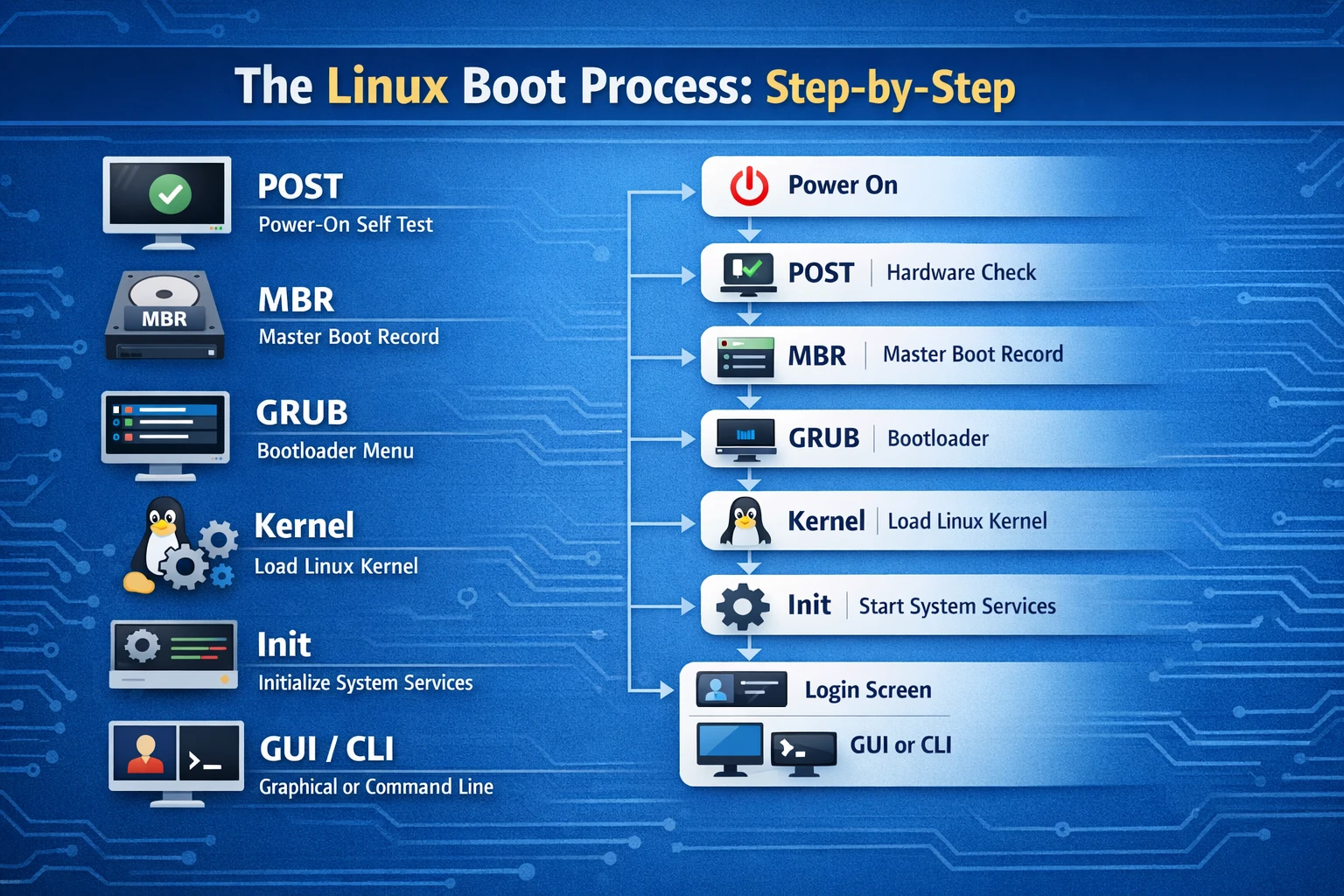
Power On → POST → MBR → GRUB → Kernel → Init → GUI/CLI
🔌 1. POST (Power-On Self Test)
When you power on your system, the BIOS/UEFI performs a POST (Power-On Self Test).
What happens here:
- Checks hardware (RAM, CPU, keyboard, storage)
- Detects bootable devices
- Hands control to bootloader
👉 If hardware fails, boot process stops here.
📊 Boot Stage Visualization
[Power On]
     ↓
   [POST]
     ↓
  Hardware Check ✔
💽 2. MBR (Master Boot Record)
After POST, the system looks for the MBR in the bootable disk.
Key points:
- Located in the first sector of the disk
- Contains bootloader info
- Very small (512 bytes)
👉 Its job is to load the bootloader (GRUB).
📊 MBR Structure
+---------------------+
| Bootloader Code     |
| Partition Table     |
| Boot Signature      |
+---------------------+
🚀 3. GRUB (Bootloader)
GRUB (Grand Unified Bootloader) is responsible for loading the Linux kernel.
What GRUB does:
- Displays boot menu
- Lets you choose OS or kernel
- Loads kernel into memory
📊 GRUB Flow
[MBR]
   ↓
 [GRUB Menu]
   ↓
Select OS / Kernel
🧠 4. Linux Kernel
The kernel is the core of the operating system.
Responsibilities:
- Initializes hardware drivers
- Mounts root filesystem
- Starts system processes
📊 Kernel Initialization
[GRUB]
   ↓
[Load Kernel]
   ↓
[Initialize Hardware]
⚙️ 5. Init System (systemd / init)
After the kernel loads, it starts the init system.
Common init systems:
systemd(modern Linux)init(older systems)
What it does:
- Starts background services (daemons)
- Sets up system environment
- Brings system to usable state
📊 Init Process
[Kernel]
   ↓
[Init / systemd]
   ↓
Start Services
🖥️ 6. GUI or CLI (User Interface)
Finally, Linux presents the user interface:
Two possibilities:
- GUI → Desktop (GNOME, KDE)
- CLI → Terminal login
📊 Final Stage
[Init]
   ↓
[Login Screen]
   ↓
GUI  OR  CLI
🧩 Complete Boot Process Diagram
Here’s the full flow in one view:
+———–+
| Power On |
+———–+
↓
+———–+
| POST |
+———–+
↓
+———–+
| MBR |
+———–+
↓
+———–+
| GRUB |
+———–+
↓
+———–+
| Kernel |
+———–+
↓
+———–+
| Init |
+———–+
↓
+——————+
| GUI / CLI Login |
+——————+
🎯 Key Takeaways
- POST → Checks hardware
- MBR → Loads bootloader
- GRUB → Loads kernel
- Kernel → Initializes system
- Init → Starts services
- GUI/CLI → User interaction
👉 Each stage depends on the previous one—if one fails, the system won’t boot properly.
🚀 Bonus: Learn More
Linux Boot Process Explained: https://www.kernel.org/doc/html/latest/
systemd Documentation: https://systemd.io/
🏁 Conclusion
The Linux boot process may seem complex, but it follows a clear and logical sequence. Once you understand each stage—POST to GUI—you can troubleshoot boot issues and gain deeper control over your system.