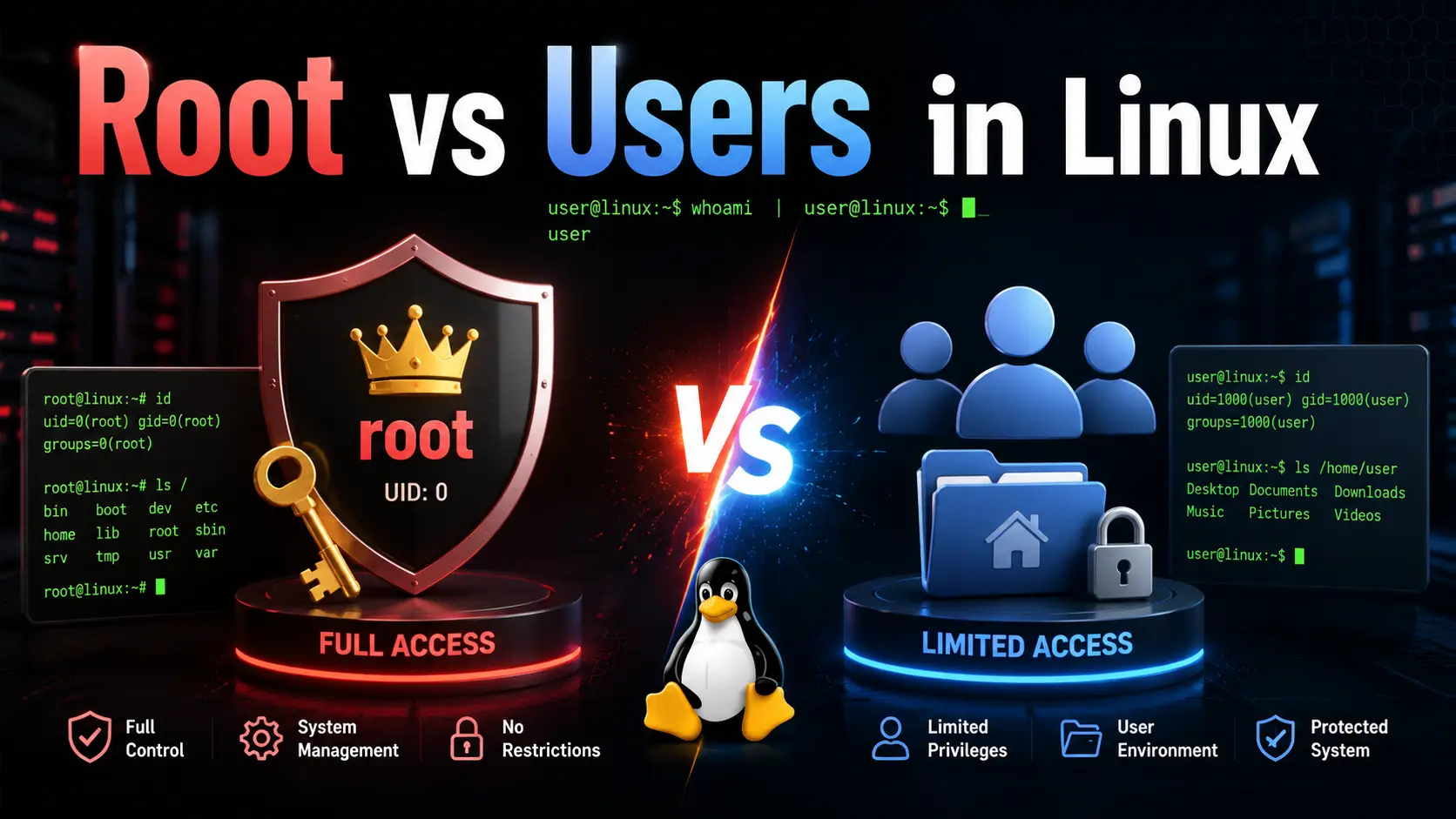

Linux is built around a powerful permission and user management system that helps maintain security, stability, and control. One of the most important concepts every Linux user should understand is the root user and the meaning of the / directory structure.
Whether you are a beginner exploring Linux for the first time or an advanced user managing servers, understanding how the root account works is essential for safe system administration.
What Is the Root User in Linux?
The root user is the highest privileged account in a Linux operating system. It is commonly referred to as the superuser because it has unrestricted access to the entire system.
The root user can:
- Install or remove software
- Modify system files
- Create or delete users
- Change permissions
- Access every directory and file
- Manage services and processes
- Configure networking and security settings
Unlike regular users, the root user bypasses almost all permission restrictions.
Understanding / in Linux
In Linux, the symbol / represents the root directory of the filesystem hierarchy.
It is the top-level directory from which all other directories originate.
Example:
/
├── home
├── root
├── etc
├── var
├── usr
├── boot
└── dev
Every file and directory in Linux exists somewhere under /.
Difference Between / and /root
Many beginners confuse the root directory / with the root user’s home directory /root.
They are completely different.
| Path | Meaning |
|---|---|
/ | Top-level root directory of the filesystem |
/root | Home directory of the root user |
Example:
/home/cdx
/home/eva
/root
Here:
cdxandevaare normal users/rootbelongs to the root user
Regular Users vs Root User
Linux is designed around multiple user accounts with different permission levels.
Regular Users
Regular users:
- have limited permissions
- cannot modify critical system files
- require authorization for administrative tasks
Example users:
cdx
eva
Their home directories are usually located inside:
/home/Root User [prerogative access]
The root user:
- has unrestricted control
- can access all files and devices
- can override permissions
Root’s home directory:
/rootWhat Is sudo in Linux?
Modern Linux distributions avoid using the root account directly for everyday tasks.
Instead, they use:
sudosudo stands for:
“Superuser Do”
It allows a normal user to temporarily execute commands with root privileges.
Example:
sudo dnf updateAdministrator Users in Linux
A user becomes an administrator when added to a privileged group such as:
wheel(Fedora, CentOS, RHEL)sudo(Ubuntu, Debian)
Example in Fedora:
sudo usermod -aG wheel cdxThis grants administrative access to the cdx user.
However:
cdxdoes NOT become the root user.
Instead, cdx gains permission to perform root-level operations using sudo.
Why Linux Separates Root and Normal Users
Linux separates privileged and non-privileged accounts for security reasons.
This design:
- prevents accidental system damage
- limits malware impact
- improves auditing
- protects system integrity
Using the root account carelessly can break the system quickly because root bypasses all restrictions.
Best Practices for Using Root Access
1. Use a Regular User Daily
Do normal tasks from a standard user account.
2. Use sudo Only When Needed
Run administrative commands only when necessary.
Example:
sudo systemctl restart nginx3. Avoid Direct Root Login
Most modern Linux systems disable direct root login for security.
4. Use Strong Passwords
Always secure both user and root accounts with strong passwords.
5. Be Careful With Destructive Commands
Commands executed as root can permanently damage the system.
Example:
rm -rf /This command can delete the entire filesystem.
Common Linux Commands Related to Root
Check Current User
whoamiExecute a Command as Root
sudo commandOpen a Root Shell
sudo suor
sudo -iSwitch to Another User
su usernameLinux Permission Structure Overview
Linux permissions are based on:
- owner
- group
- others
Example:
-rwxr-xr--The root user can bypass these permissions entirely.
Frequently Asked Questions (FAQs)
1. If I create an administrator user, does it become root?
No.
If you create users like:
cdx
eva
and make cdx an administrator, cdx does not become the root user.
Instead:
cdxremains a normal user- but gains permission to execute commands as root using
sudo
The root account remains a separate dedicated system user.
2. What is the difference between root and sudo?
| Root | Sudo |
|---|---|
| Actual superuser account | Temporary privilege escalation |
| Unlimited access always | Access only when using sudo |
| Riskier for daily use | Safer and recommended |
3. Can I log in directly as root?
Yes, but many Linux distributions disable direct root login by default for security reasons.
4. Why is the root account dangerous?
Because it bypasses all permission restrictions. A single incorrect command can damage the entire operating system.
5. What does / mean in Linux?
/ is the root directory — the topmost directory in the Linux filesystem hierarchy.
6. What is /root used for?
/root is the home directory of the root user.
7. Is root the same as administrator in Windows?
They are similar conceptually, but Linux root is generally more powerful and unrestricted than a standard Windows administrator account.
Final Thoughts
Understanding the Linux root user and filesystem hierarchy is fundamental for working safely and efficiently in Linux environments.
The root account provides complete system control, while sudo offers a safer and more manageable way to perform administrative tasks without staying permanently logged in as root.
For beginners, the best approach is:
- use a regular user account daily
- use
sudoonly when necessary - avoid direct root usage unless absolutely required
This practice keeps Linux systems secure, stable, and easier to manage.